Smart Assistants: feedback on every message
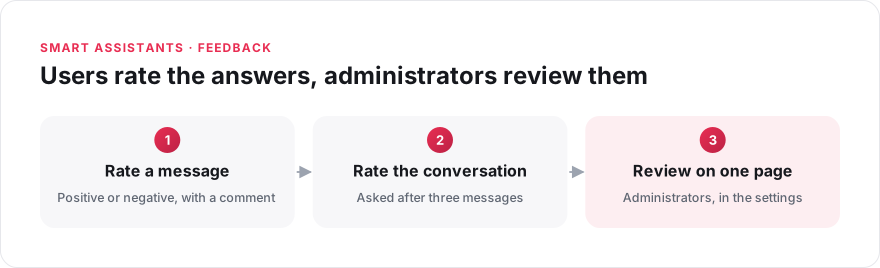
When a Smart Assistant gives a wrong answer, it does not know it. Neither do you, unless the user can tell you. Users can now rate any message from a Smart Assistant as positive or negative, and add a comment if they wish. After three messages from the user, the assistant also asks for feedback on the whole conversation.
Administrators find all the feedback on one page of the settings, which now has two tabs: one for Smart Assistants and one for Answer. For each piece of feedback, they see who left it, which message it is about and an extract of the conversation.
Each piece of negative feedback shows an answer that needs improving. It can also reveal an article that is missing or out of date.
See what Smart Assistants can do, or read how to manage AI feedback.